

CASE STUDY · LPI · 2026
WeCreate DAM
I replaced a $65K-a-year vendor library with a calendar-aware platform for 42,700 liturgical assets in 11 weeks, as one of LPi’s first products built entirely with AI.
94%
lower running cost: $65K a year down to $3.6K
11 weeks
from first scoping to production
42,700
assets moved off the vendor platform
98%
of code written by AI agents I directed
MY ROLE
Product owner, UX/UI designer, director of the AI build
TIMEFRAME
11 weeks, Aug 4 – Oct 19, 2026
TEAM
Me and AI agents (Claude Code), with engineering help on content sync and sign-in
PLATFORM
AWS serverless, React, Python, Figma
JUMP TO:
The Problem · Strategy · AI Build · Before & After · Impact · Lessons
THE PROBLEM
A generic library for a calendar-driven job
WeCreate sells ready-to-use bulletin art and writing, much of it in English and Spanish, to parishes and community newsletter teams. Its 42,700 assets lived on a generic vendor DAM that knew nothing about the calendar customers work to.
Editors plan around Sundays, but finding “everything for the Third Sunday of Advent” meant a keyword hunt.
Dates were hand-tagged every year, because Easter, and everything tied to it, moves.
One catalog for two audiences, and prayers that came as Word files to open, copy and paste.
No usage data, and $65K a year with a price increase coming. The renewal date became our deadline.
MY ROLE
Product owner, designer, and the human in the loop
Set the product vision and wrote the plan leadership approved.
Designed every screen, and the design system the code uses, in Figma.
Made 100+ recorded product decisions and approved every change to production.
Directed the AI agents that wrote the code. Colleagues set up the first data sync and sign-in.
STRATEGY
Own what makes WeCreate valuable. Rent the rest.
Own the domain, rent the commodity
Calendar logic, search and storefronts are custom. Storage, delivery and sign-in run on managed AWS and the LPi Dashboard, within a $300 monthly budget.
One product, two storefronts
Catholic parishes and community organizations each get their own home page, vocabulary and calendar.
Copy the library first
A nightly import mirrored the whole library into our storage, so we built against real content while the old platform kept running.
Measure before designing
Every feature started by counting the real data, which caught assumptions that were off by a factor of ten.
Tag by occasion, not by date
Content is tagged to occasions like the Second Sunday of Advent. Each year’s official calendar sets the dates, so nothing is retagged.
Figma is the source of truth
Agents read layouts and design tokens straight from Figma, so design and code don’t drift apart.

BUILT ENTIRELY WITH AI
One product owner, a team of AI agents
I worked with Claude Code, Anthropic’s coding agent, as the engineering team. My job was making sure the agents built the right thing, and built it correctly.
86
design specs and build plans
449
pull requests merged
1,381
of 1,410 code commits written by AI
3,100+
automated tests
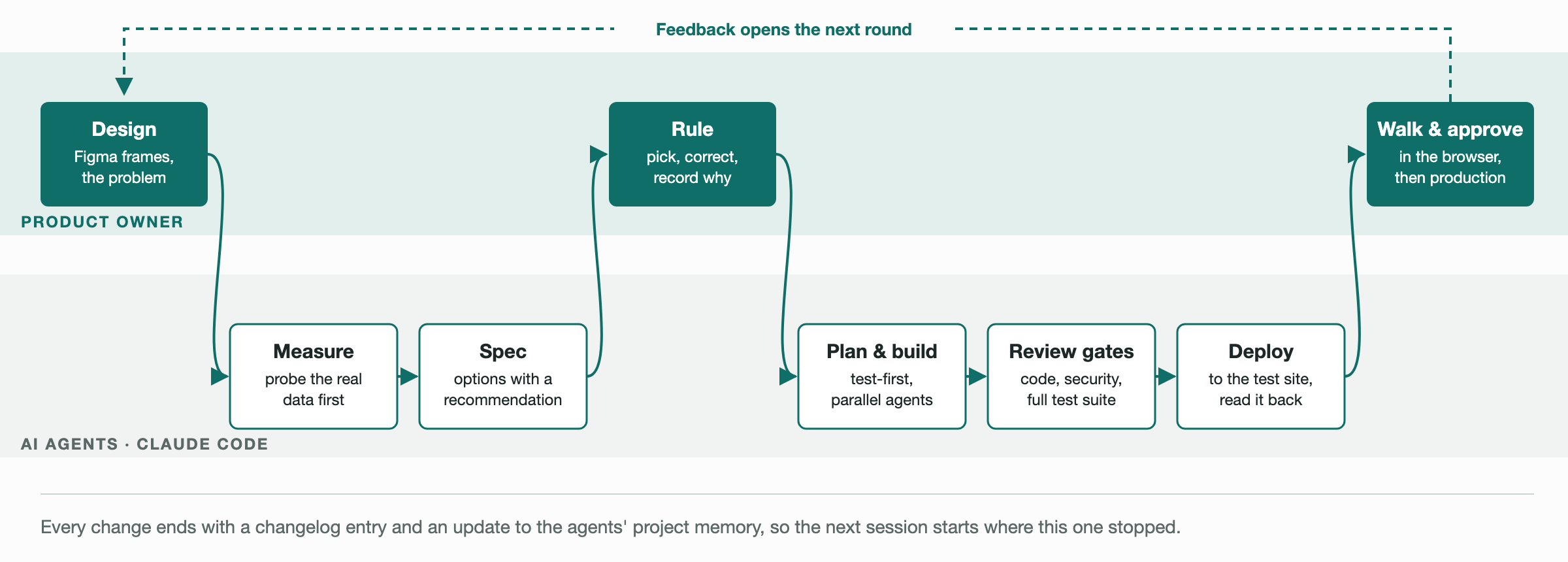
How a feature got built. Every feature went round this loop, often several times a day. The top lane was mine.
Design. I framed the problem and designed the screen in Figma; agents read the frames and design tokens directly.
Measure and spec. The agent checked the real data, then put every open question to me as numbered options with a recommendation.
Rule. I picked, corrected or rejected each option, and my reason went into the spec.
Build and review. Agents built test-first. With no engineer reviewing merges, AI code review, security review and the full test suite were the gate.
Deploy and walk. I walked every change on the test site against live data. Nothing reached production without my go-ahead.
What made it trustworthy
A rulebook for agents: about 470 lines of known traps, and claims an agent can’t make without evidence.
Memory across sessions: 130+ notes on rulings and data quirks.
A changelog of corrections: 5,400 lines that serve as the project’s memory.
What stayed human
Every call about what customers see, what it’s called and when it appears was a product decision, and it was mine.
CHANGES FROM THE OLD PLATFORM
From a file cabinet to a calendar
Finding content
Before: Keyword search across one flat catalog
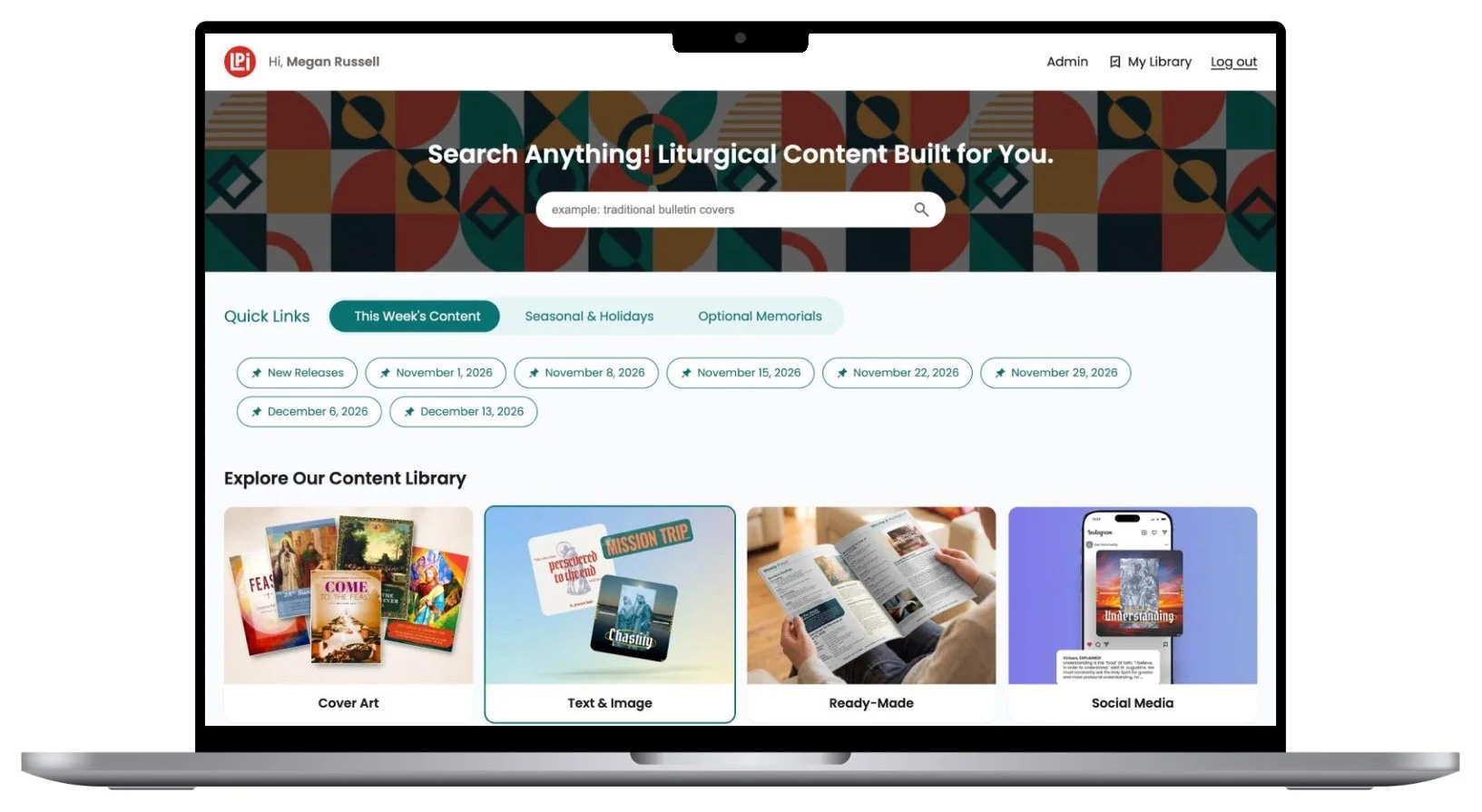
Now: A home page built around the next seven Sundays, and search grouped by section
Dates
Before: Tagged by hand, again every year
Now: Tagged to the occasion; the official calendar sets the dates
Audiences
Before: One catalog and vocabulary for everyone
Now: Separate Catholic and community storefronts
Text and languages
Before: Word downloads; Spanish versions found by searching again
Now: Prayer text copied from the page, and an English/Spanish switch
Uploading and reporting
Before: Optional tags and effectively no usage data
Now: A guided five-step upload, and every search, view and download recorded
Running cost
Before: About $65,000 a year, with an increase planned
Now: About $3,600 a year on AWS, 94% less
Before and after
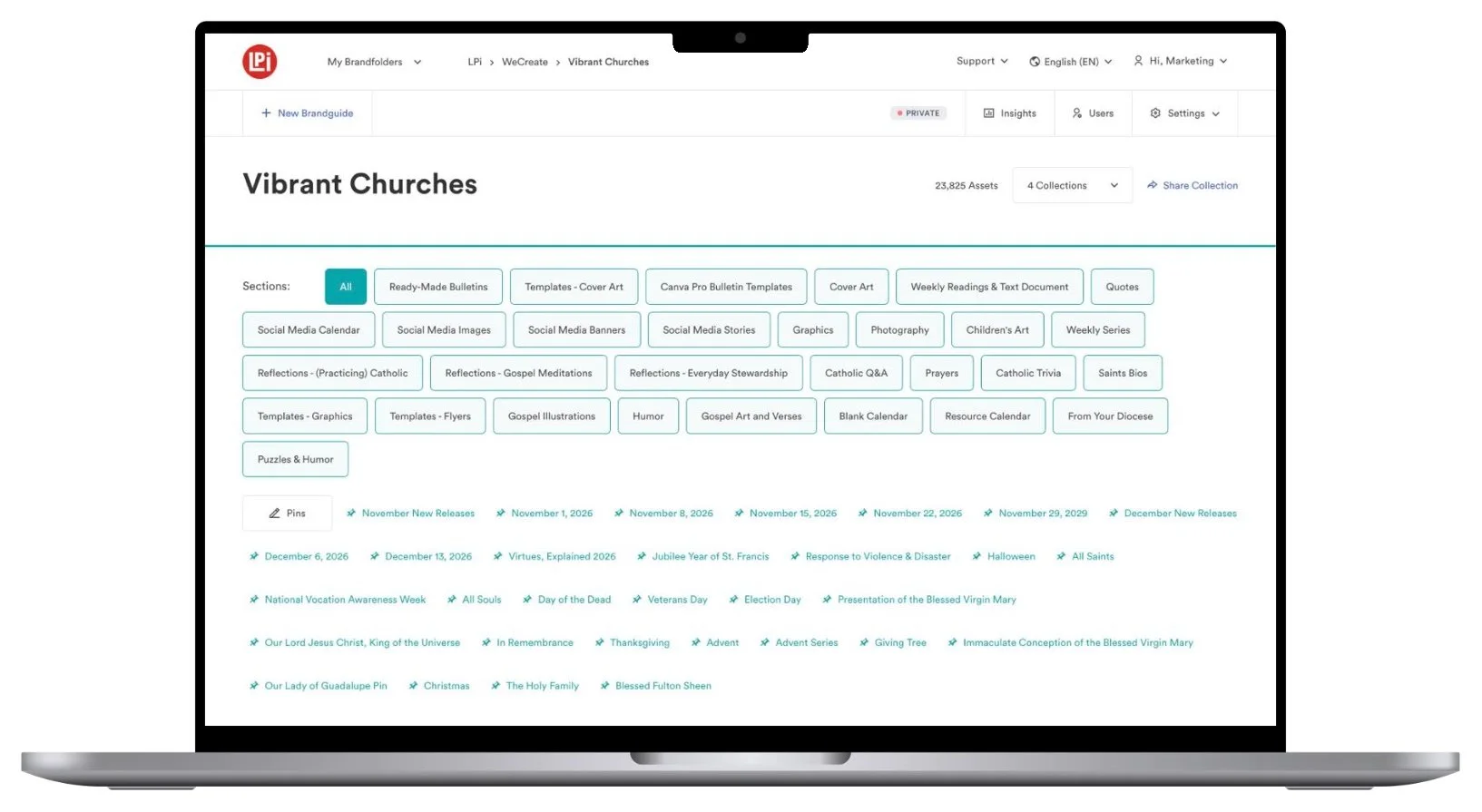
BEFORE
Legacy home page with no clear navigation structure and extremely limited customization options
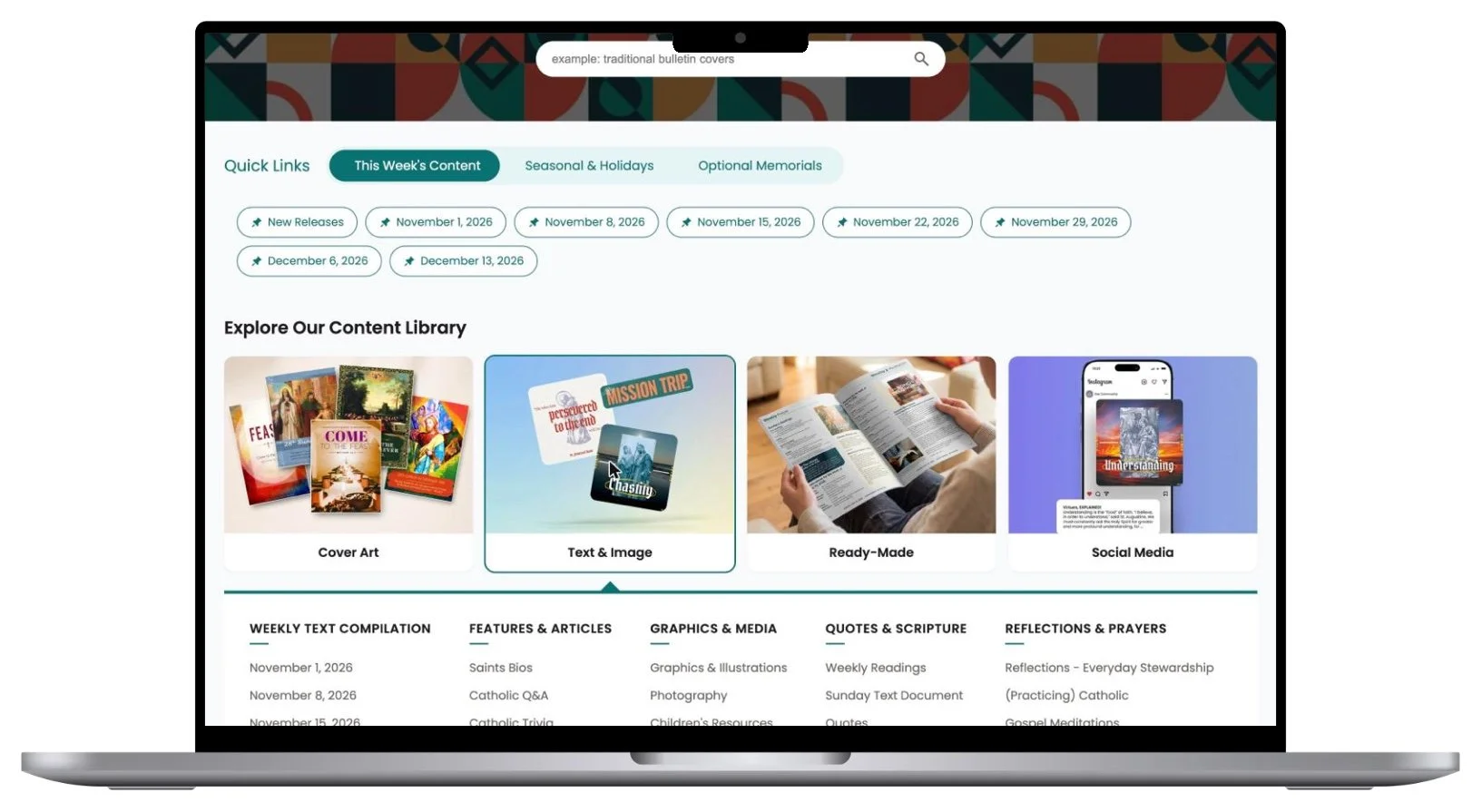
AFTER
The Catholic home page opens on the Sundays editors are working toward.
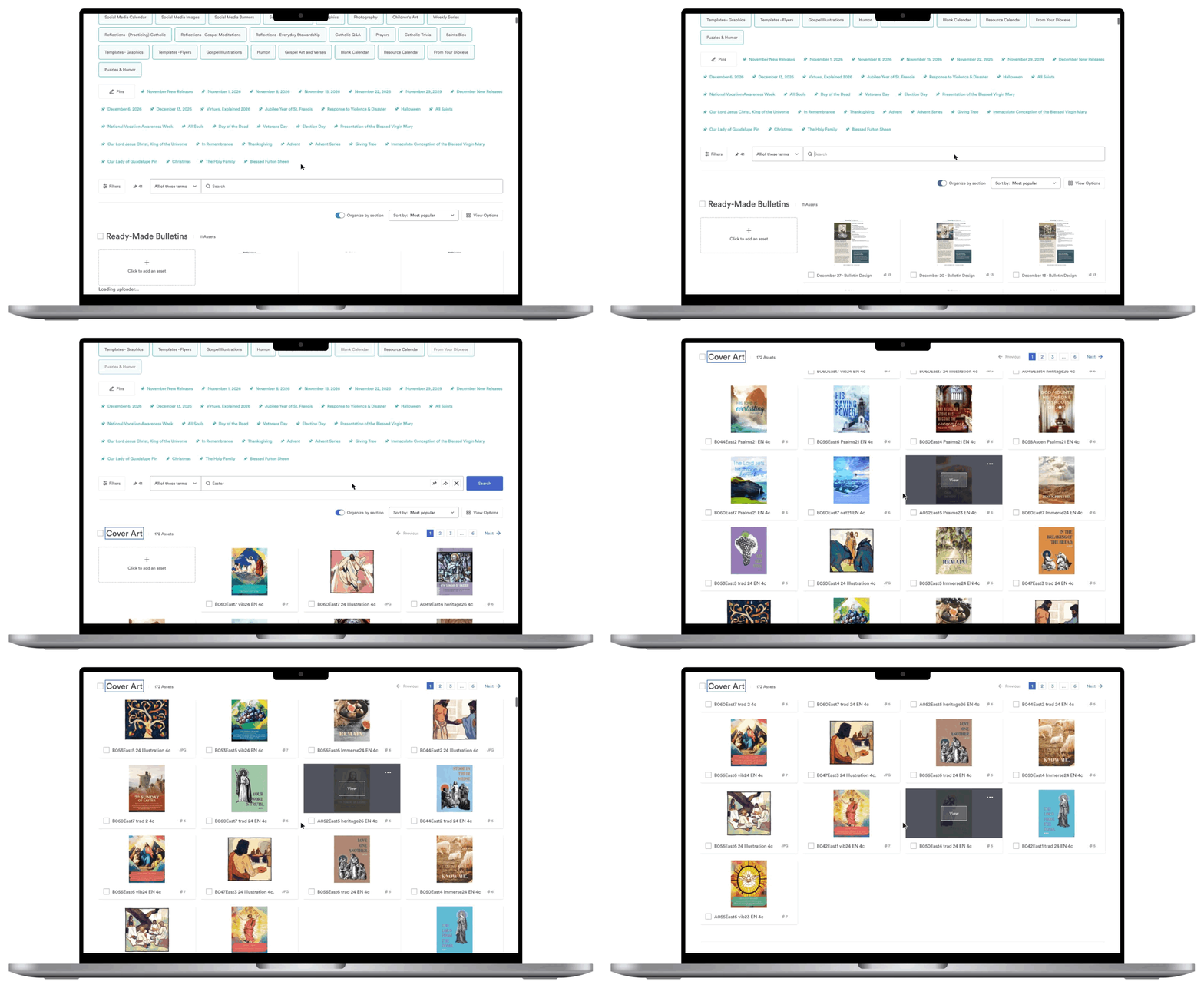
BEFORE
Legacy search results. No opportunity for display titles, just filenames- the user had to scroll and scan to get to the next section and search for what they wanted.
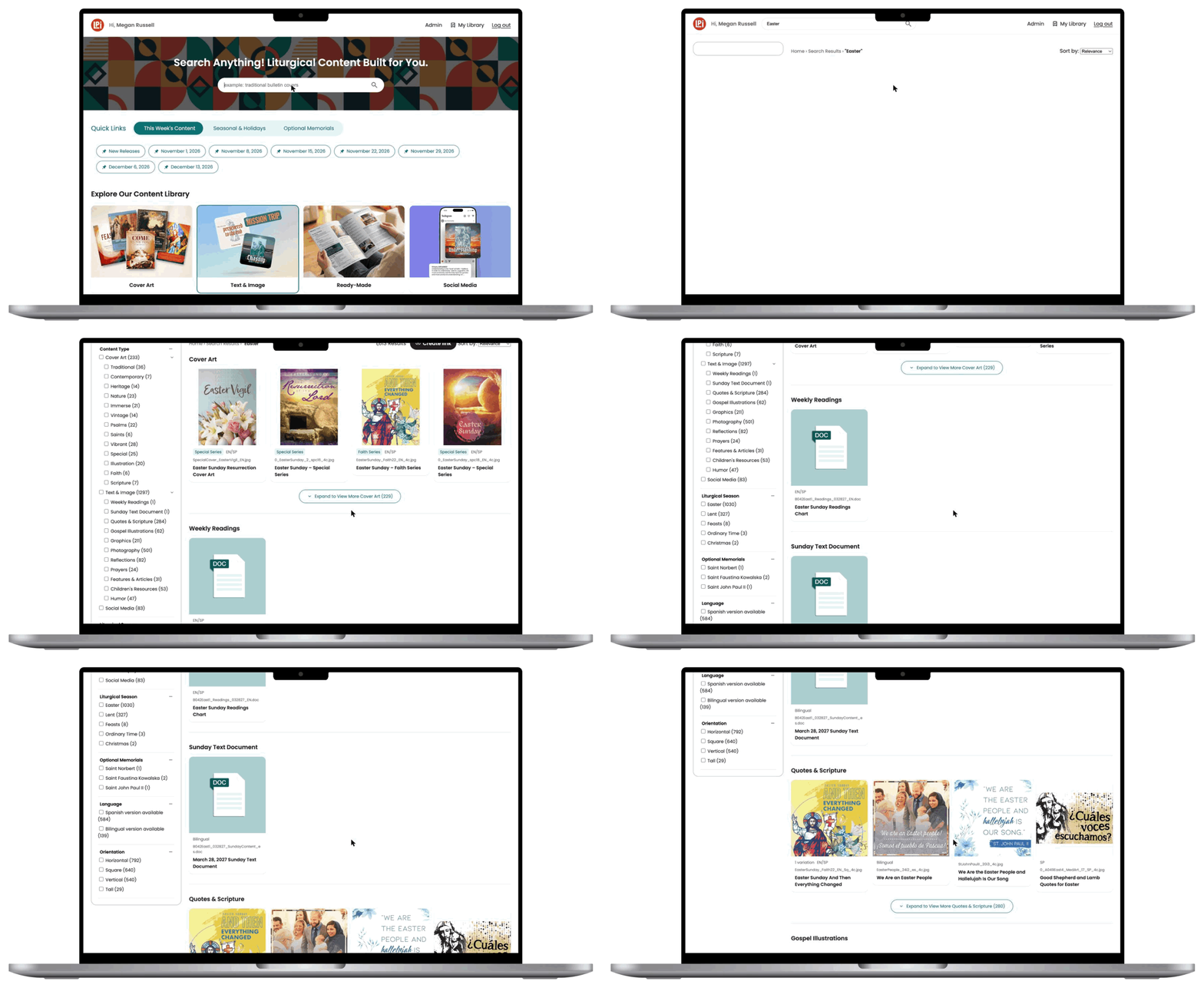
AFTER
Results grouped by section, with counts and filters in the customer’s vocabulary.
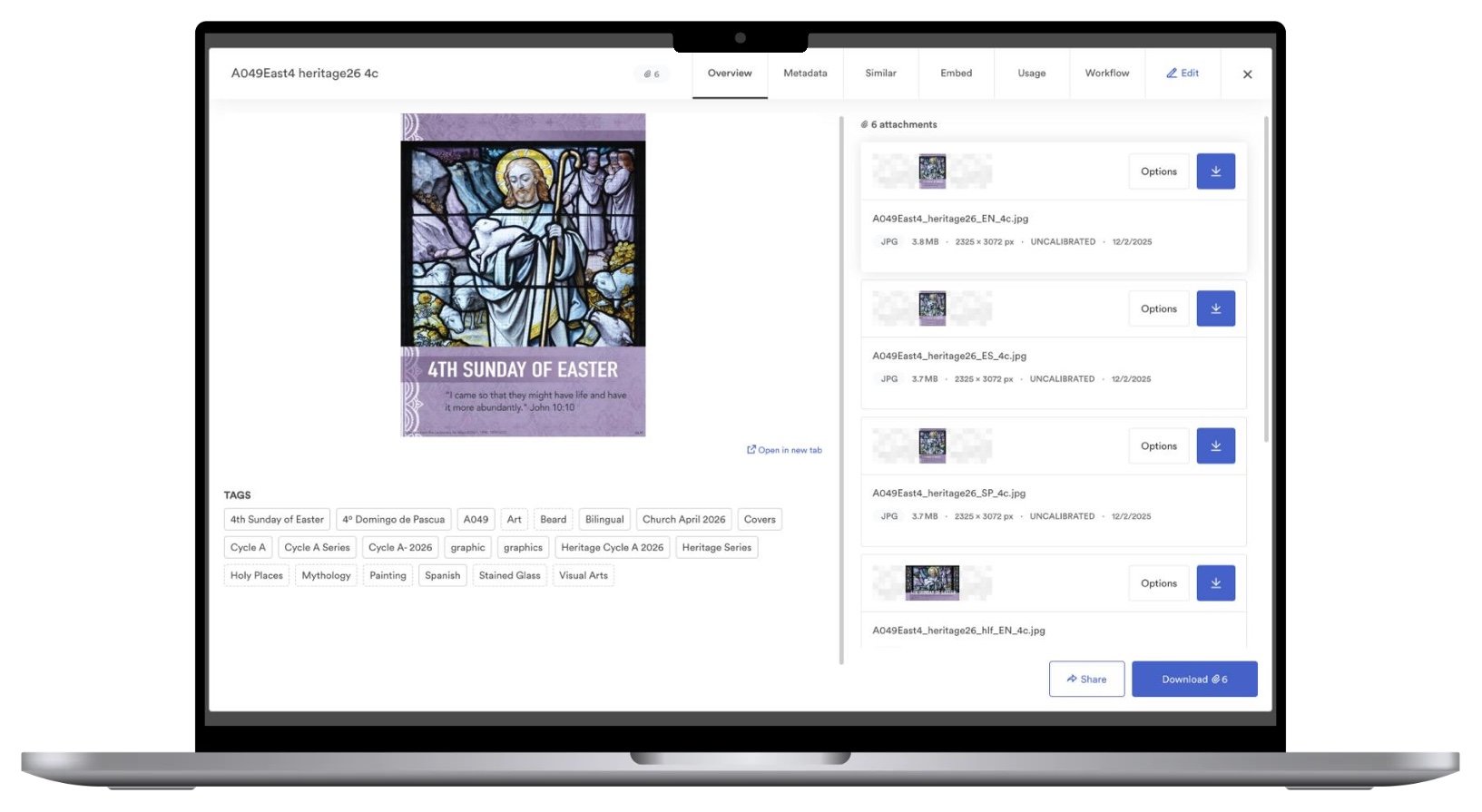
BEFORE
An old asset page: a file name for a title, raw attachments to pick from, and a long list of tags.
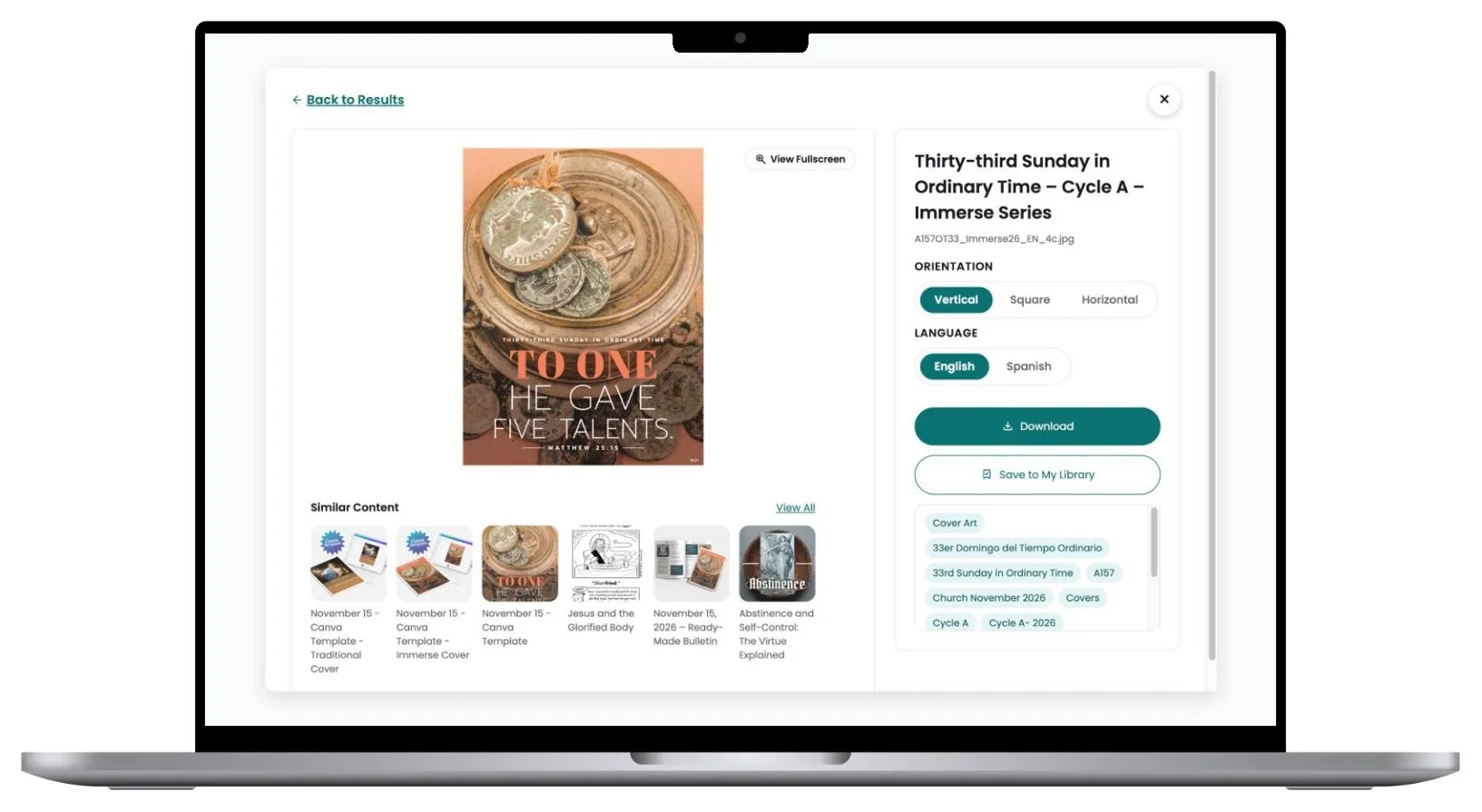
AFTER
An asset page with orientation and language switches, Download, Save to My Library and Similar Content.
IMPACT
For editors: less hunting, more finished bulletins
Starts with this week: the next seven Sundays, with seasons and holidays one click away.
Search in their language: results grouped by section and filtered by liturgical season or holiday.
Less work per piece: an English/Spanish switch, copyable prayer text and print-ready downloads.
A storefront that fits: community editors browse by month and civic holiday, with no church wording.
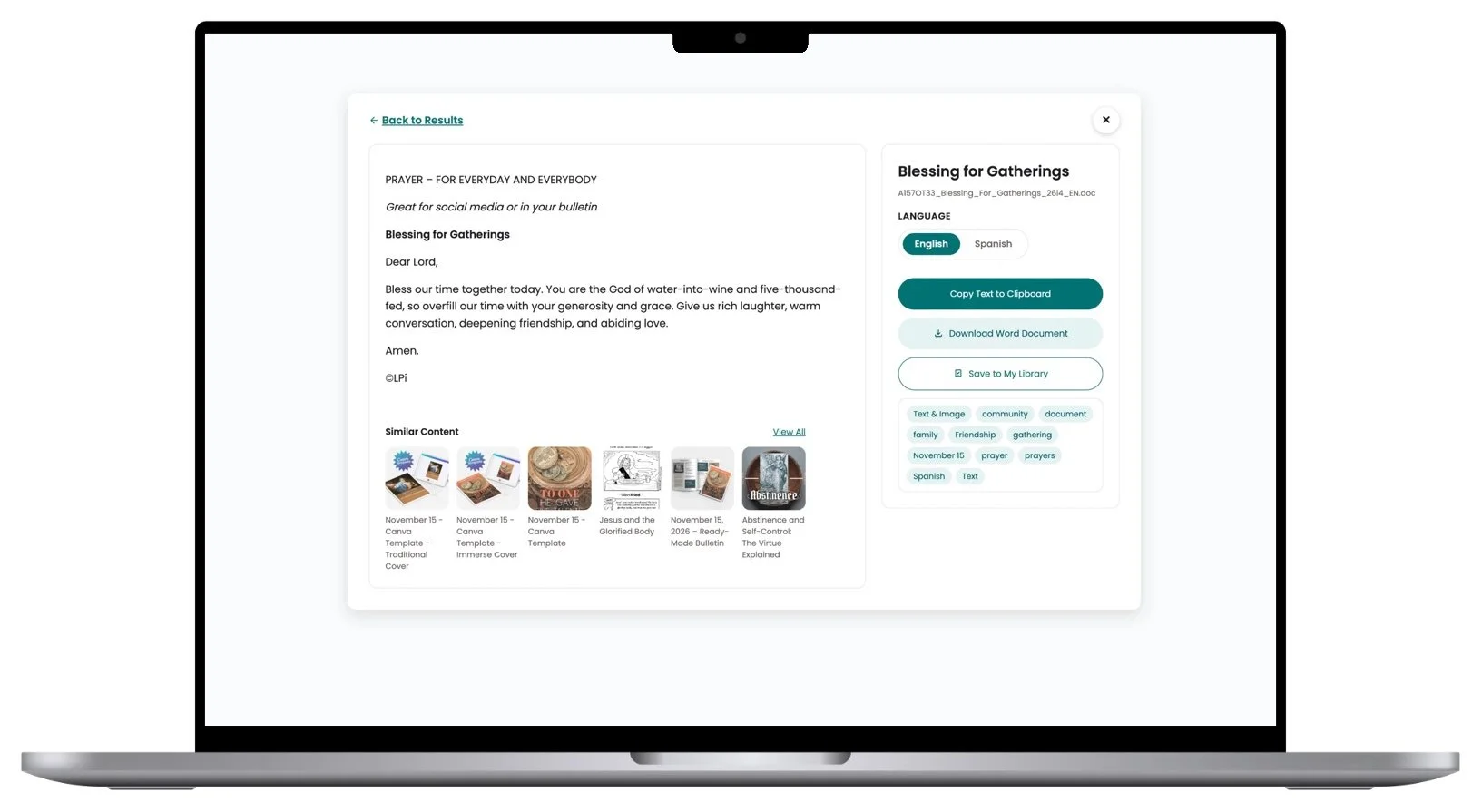
Live text. A prayer is read and copied on the page instead of downloaded as a Word file.
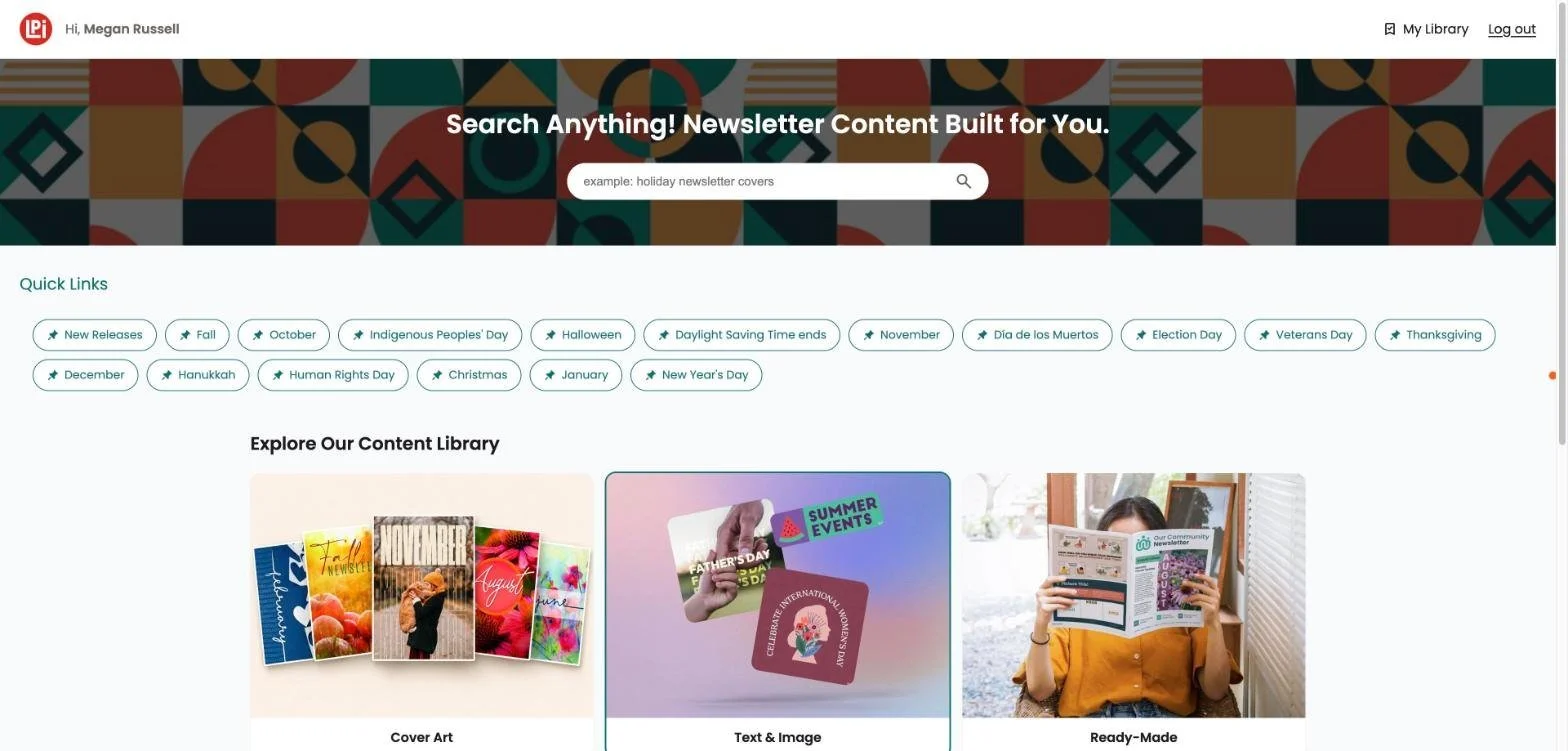
The community storefront is the same product, organized by month and civic holiday.
For admins: a library that stays organized
Every admin task is documented step by step, with real screenshots.
Uploads keep the library clean: a guided five-step upload requires an audience and tags before anything is published.
The calendar runs itself: once a year, admins upload the published liturgical calendar, review the changes and approve.
Admins see what customers will see: Upcoming Content lists every pin and holiday, with the art behind each.
Usage data, for the first time: downloads, users and top assets, by library.
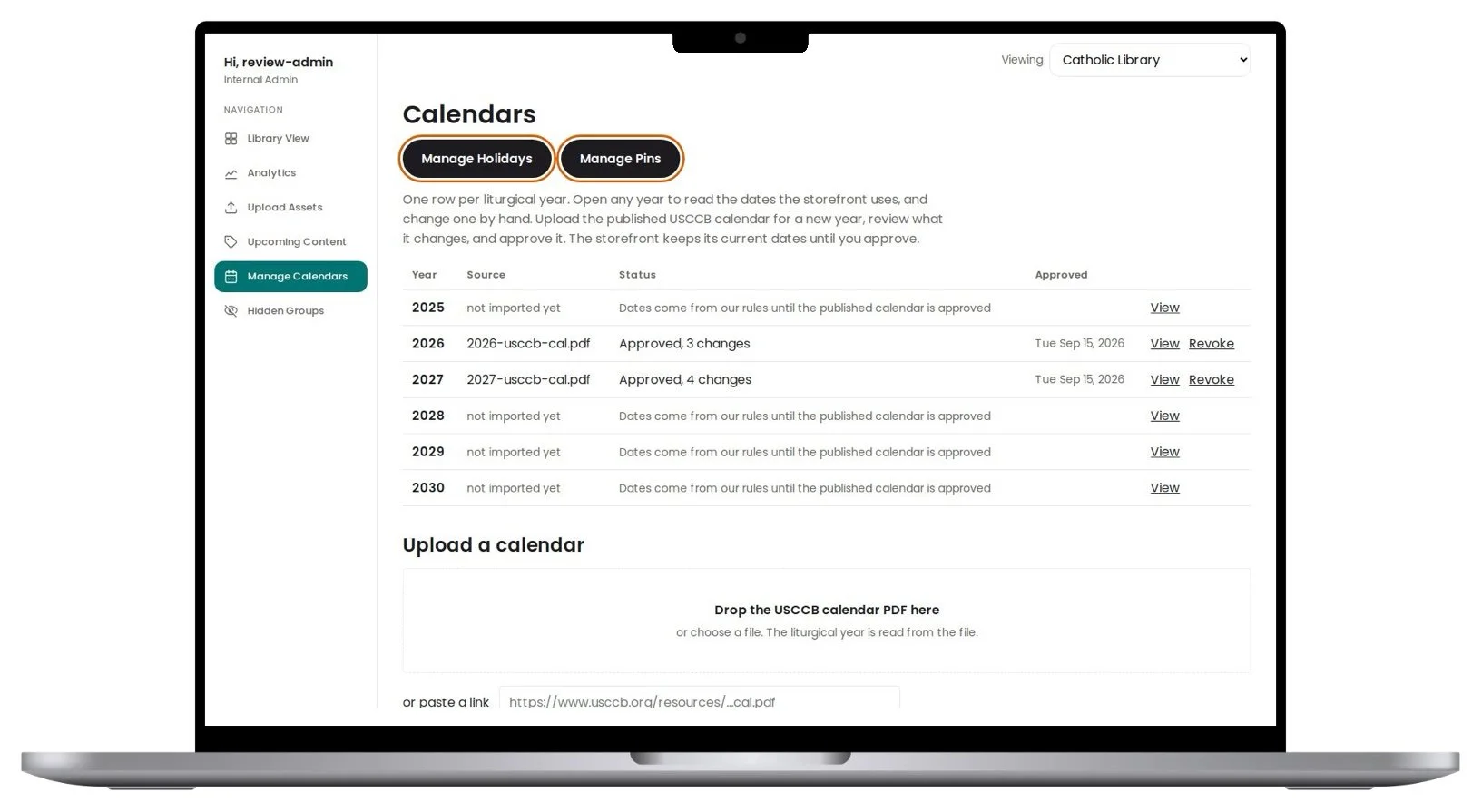
Manage Calendars: one row per liturgical year, approved from the published calendar.
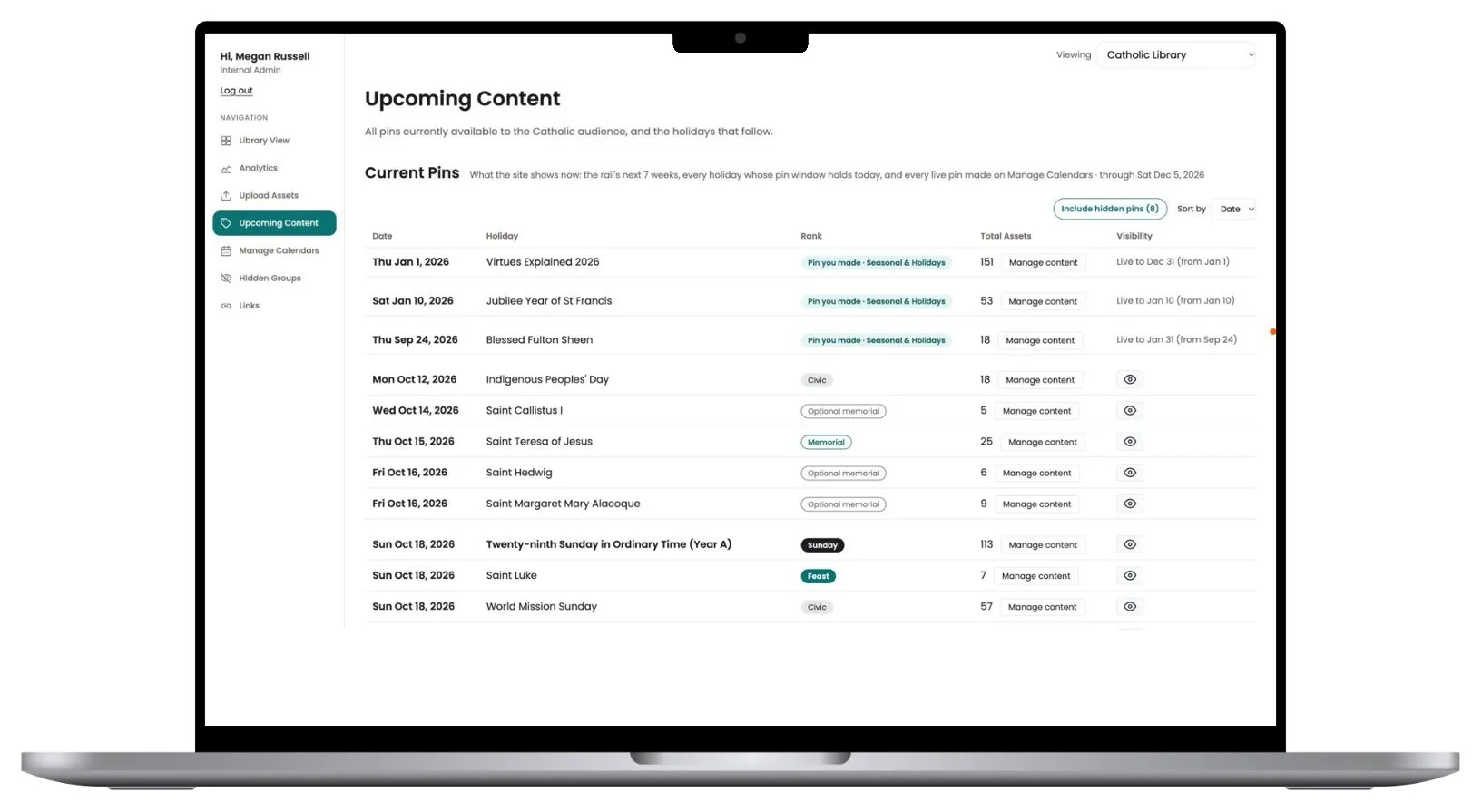
Upcoming Content shows exactly what the storefront pins, with the art behind each.
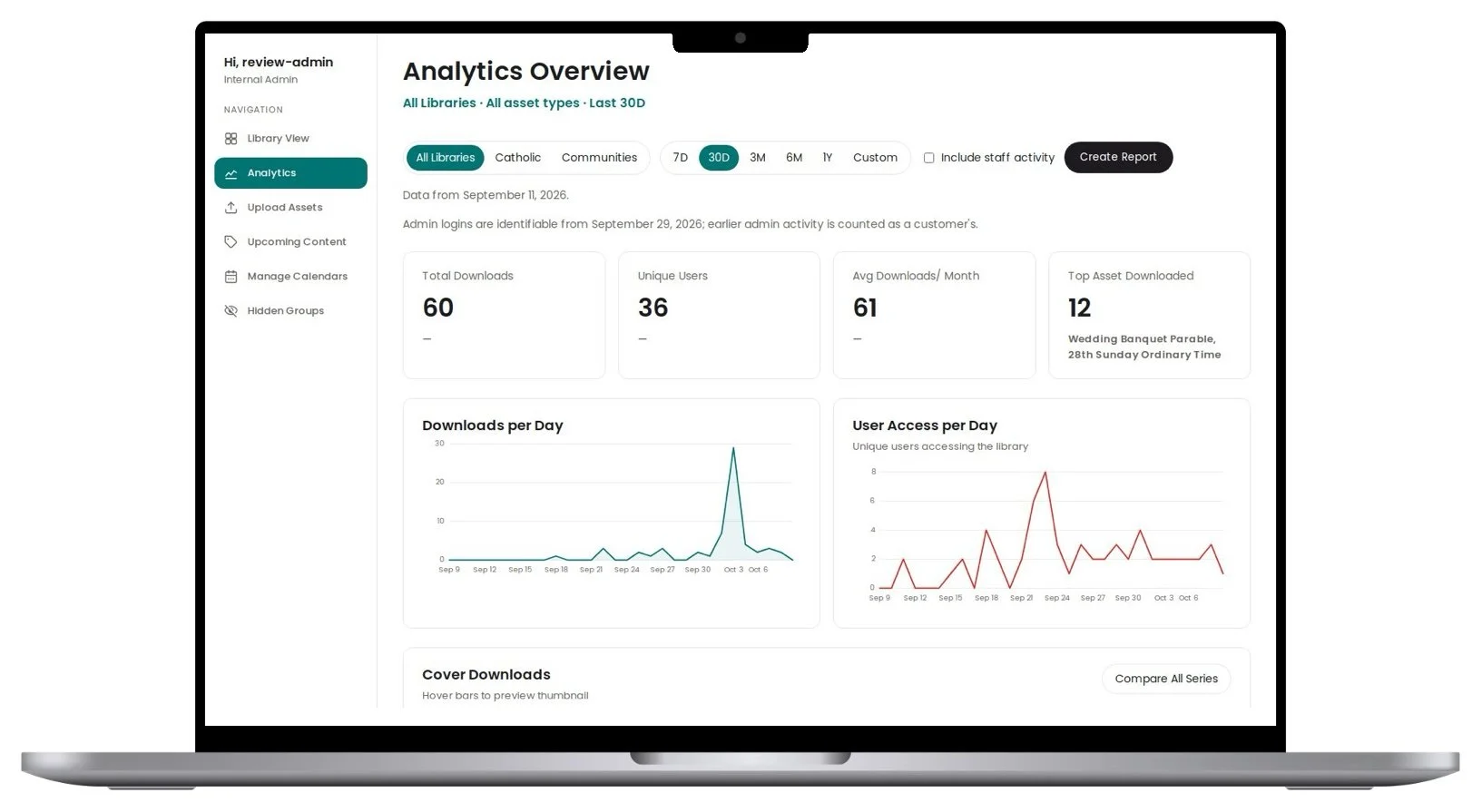
Analytics Overview. Usage reporting the old platform never gave us. The figures shown are from internal testing.
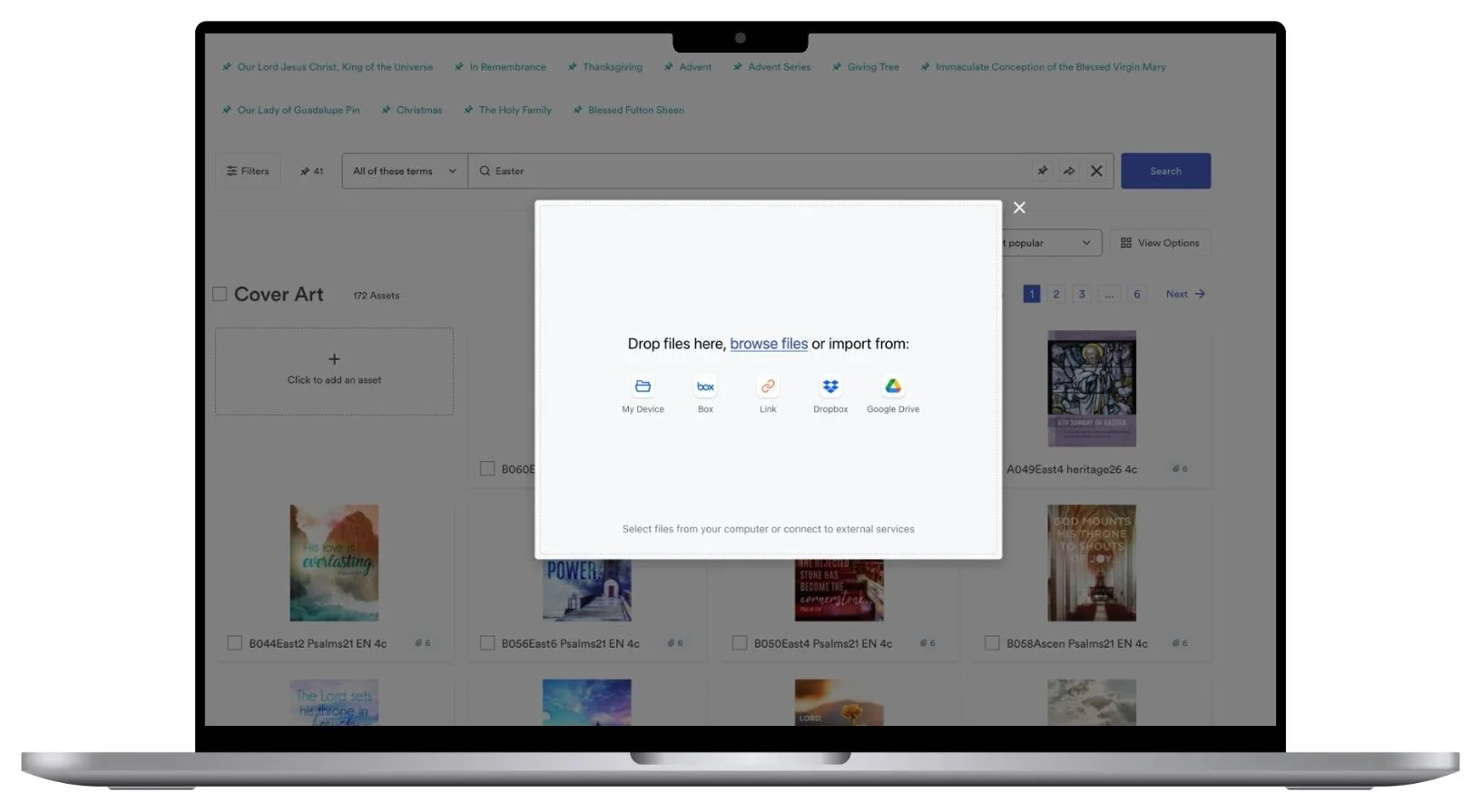
BEFORE
The old upload: drop files in, with nothing required before they could go live.
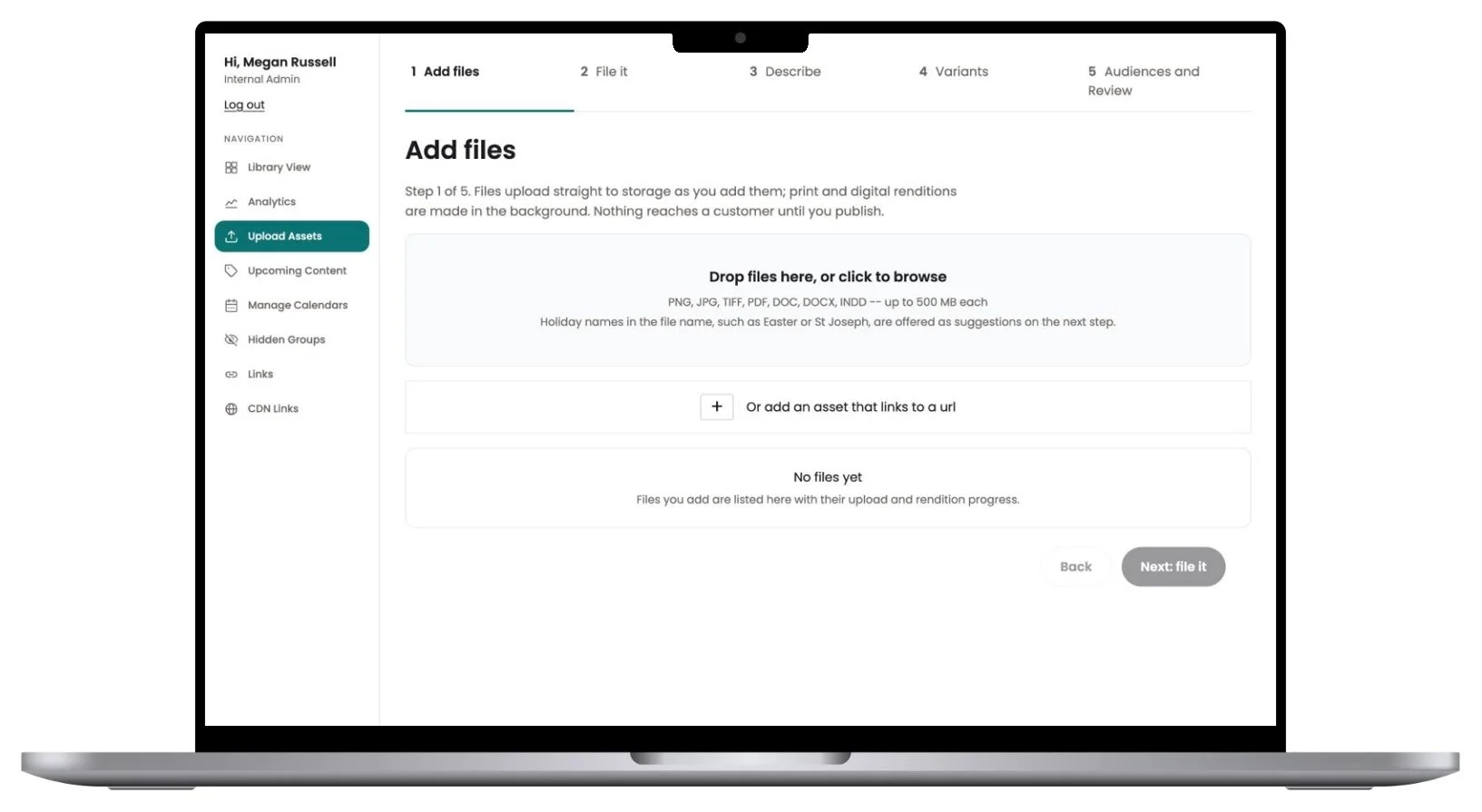
AFTER
The five-step admin upload. Nothing reaches a customer until it’s published.
BUMPS ALONG THE WAY
What went wrong, and what we changed
-
Estimates were often off by a factor of ten: one approach would have needed about 150,000 requests where 265 did the job.
Change: measuring became the first step of every feature, and every correction was logged.
-
With agents merging their own work, a mistake could ship without anyone reading it.
Change: AI code review, a security review and the full test suite became required gates. They caught real problems, including a database change that would have broken the next deploy.
-
Print files are CMYK, and browsers showed them in neon colors.
Change: color-managed previews, with 36,755 images re-rendered in 86 minutes.
-
5,247 legacy .doc files couldn’t be shown as text on the page.
Change: a small conversion service made them readable, so their prayers and readings appear as live text.
-
Hundreds of assets had no usable title. The model drafted titles but kept using banned phrases, and our checks rejected 31% of first drafts.
Change: retries, and a preview I approved before anything was applied. 590 of 599 untitled assets now have a clear title.
-
Several AI sessions running in parallel collided: one switched another’s branch, and a pull request merged while fixes were still on their way to it.
Change: each session works in its own isolated copy of the code and checks a pull request’s state before pushing.
TIMEFRAME
Eleven weeks, scoping to production
From the first scoping document on August 4 to the last import from the old platform on October 19, 2026. Production was live about six weeks after the platform plan.
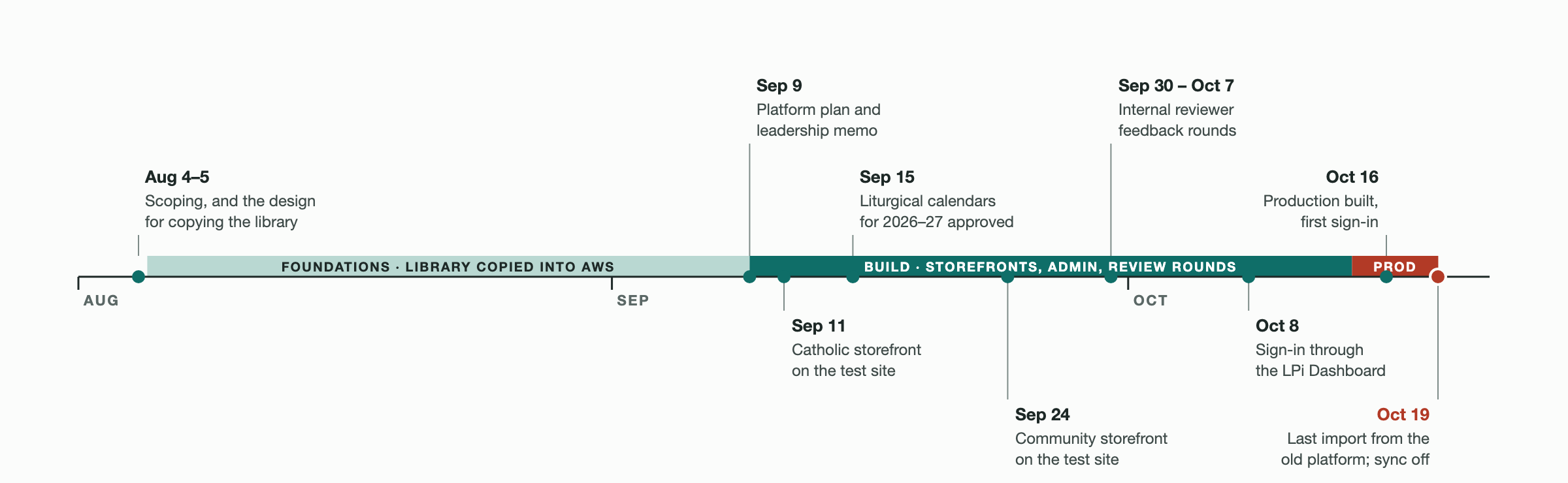
Milestone dates as recorded in the project changelog.
LESSONS
AI wrote the code. The product decisions stayed with me.
WeCreate DAM is live in production: new content goes straight into it, and it runs on $3,600 a year instead of about $65,000.
One product owner working with AI delivered work that would normally need a dedicated engineering team.
It’s repeatable: the guardrails and build loop I built along the way give the next LPi team a playbook for building with AI.